
If someone was stealing 50 dollars a day from your bank account, you’d want to know about it, right? What if someone were stealing three or four hours from your spare time? What if that person was you?
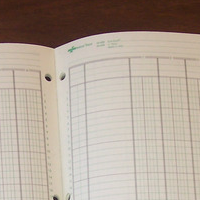
A timelog is a simple device to track where your time is going. Regularly running a timelog allows you to know precisely where your time is going. And in a busy world when commitments are piling up, timelogs can help you understand what to eliminate in order to keep your sanity.
Why Running a Timelog is Crucial
How good are you at guessing where your time is going? I’m sure most of us would like to believe that we are fairly good at predicting what eats up our time. After doing many timelogs, however, I don’t believe this to be the case. Often tasks you felt took very little time steal huge amounts out of your day while larger tasks can be finished surprisingly quickly.
You don’t know where your time is going.
Running a timelog is better than guesswork. Accurately running a timelog can tell you:
- What proportion of your time is spent in different activities. How much are you working, playing, reading or running errands each day?
- What level of organization is your time in? Are your activities sorted logically to save time and maximize a rest/work cycle? Or are they scattered and interrupted so often it’s a wonder you get anything accomplished?
- What the secret time-wasters and value-creators are hidden in your routine.
Timelogging 101
The basics for running a timelog is simple. All you need is:
- Notepad
- Pen
- Excel/Google Docs/Open Office Calc or any other spreadsheet program
Designate a period of at least one day for your timelog. I’m currently in the middle of a week-long timelog designed to capture those pesky once-a-week activities that often get missed in my daily timelogs.
Write down whenever you switch activities on your notepad. If you’re new to timelogging, try to capture the main activity changes. Bathroom breaks or switching between different sections of the same task make timelogging more complicated than it needs to be.
Finally sort all of your tasks onto a spreadsheet program. I’ve found categorizing different activities into general and specific areas helps me sort the data. You should be able to come up with a number value for the amount of hours spent on a particular task and category. From this, you can come up with percentages as a total time spent.
Analyzing the Timelog
With the breakdown of your daily routine, you need to start looking for improvement points. Although some numbers might jump out at you simply by looking at the raw data, others may be hidden within the mass of statistics.
Here are a few things to look for:
- Value/Time Ratios – Ascribing a value to tasks that serve completely different functions is almost impossible. However, you can compare value/time ratios within categories. For example you might compare the difference in time spent working on one business activity versus another. You might also compare your entertainment time to see where the best investments were.
- Organizational Problems – Are tasks largely being completed in one chunk or are there frequent interruptions? Are tasks being batched or spread out over longer periods of time? Sort through your tasks to see if a different routine might be more beneficial.
- What’s Expendable? – Looking through time expenditures, ask yourself what activities can be eliminated when you run out of time? Nominating which tasks are expendable in busy times can keep you sane when your schedule gets crazy.
- Misplaced Priorities – If school is your key priority, most your spare time should be devoted to it. When your priorities doesn’t reflect what you see in numbers, that means your routine isn’t acceptable for reaching your goals.
Analysis to Action
The final step is to take your data and run an experiment to make improvements. Experimenting with different routines and productivity strategies will have a direct impact on your timelog. Here are some suggestions for running an experiment:
- One change at a time. Focus on one change to your routine, not several. This focus will make the change more likely to take hold and allow any results you obtain to be more meaningful.
- Measure at the end. Do another short timelog and compare it to your first. Did the change create the improvements you wanted? Sometimes creating a change to boost productivity can actually do the opposite if it drains your energy.
- Timelog every few months. How often you timelog depends on your room for improvement. If past timelogs show you are likely to make a lot of mistakes managing your time, running one every few weeks can give you the edge when organizing your schedule. If you are already efficient, running one every several months is nothing more than a quick tune-up to ensure you stay on track.
 I'm a Wall Street Journal bestselling author, podcast host, computer programmer and an avid reader. Since 2006, I've published weekly essays on this website to help people like you learn and think better. My work has been featured in The New York Times, BBC, TEDx, Pocket, Business Insider and more. I don't promise I have all the answers, just a place to start.